PageMellow
Adjust how webpages look, hide distractions and make room to focus. For Chrome.
 Uni3K
Uni3K · Card notes
Card notes for you and your AI. Keep a passage from the web with its source, or jot a thought in a few lines. Look back through them over time, and let your own AI search them too.
Select text on any page, then tap +, press Alt+C or right-click. The page title and link come with it, and the passage is highlighted on the page.
Jot a thought in the side panel and press Ctrl/⌘+Enter. Markdown headings, checklists, quotes and code all work.
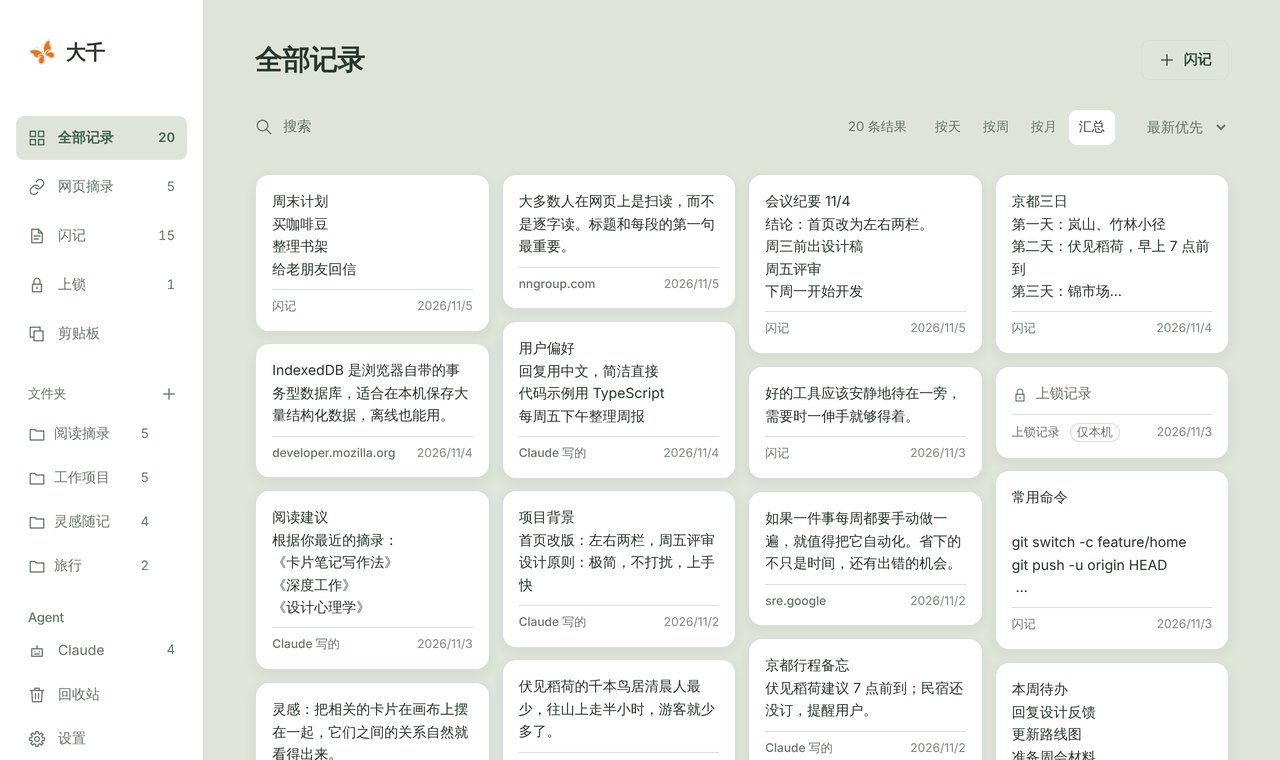
Browse what you saved and thought by day, week or month, or find it again with full-text search and folders.
With local MCP, assistants such as Claude can search the cards you allow and keep notes in a space of their own.
Yours, and quiet. Cards stay on your device by default. Lock the private ones with your own password, so no one, not even an AI, can read them. Sign in at app.uni3k.com when you want cloud cards on every device. No ads, no tracking.
Every local feature is free, and so are your first 200 cloud cards. Pro adds more for heavy use.
Adjust how webpages look, hide distractions and make room to focus. For Chrome.
A free translation extension for Chrome and Brave: quick translate, immersive translate, a dictionary and a word list.
An AI reader for iPhone, iPad and Mac. Look up words, translate a chapter side by side, or ask AI, all in one place.